


OCR-powered business card and conference badge scanner
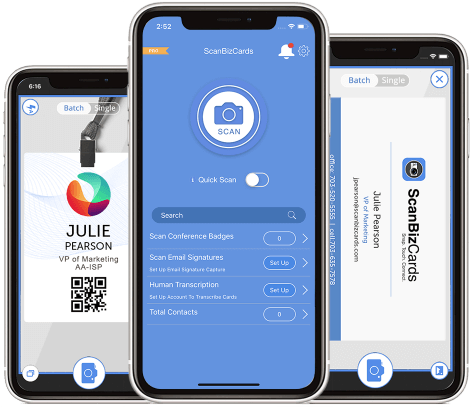
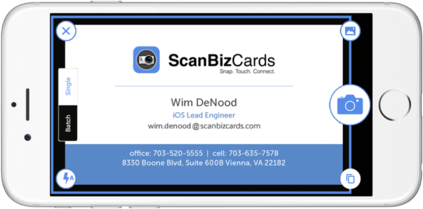
ScanBizCards uses Optical Character Recognition to scan business cards and conference badges -- making it quick and efficient to capture contacts at events.

CRM integrations and multiple contact exports
ScanBizCards offers integration with leading CRMs including Salesforce and more. You can easily attach contacts / scans to new or existing customer accounts in real-time at events.

Human Transcription service
Get your scanned business cards and conference badges Manually Transcribed by our team. You get 100 free transcription credits for every user every year, so you can stay focused on making new connections at events.

API integration
ScanBizCards’ business card and conference badge scan APIs can be integrated with your systems -- giving you the most accurate and up-to-date contact data.

Business Card & Conference Badge Scanning
Add new connections in an instant with fast, accurate OCR powered scanning.

CRM Integrations
Export your scanned contacts to a variety of CRMs or via CSV.

Address Book Sync
Access your cards / contacts anywhere you need them.

Email Signature Capture
Automatically find and update contacts from email signatures.

82,000+ Companies

2M+ Mobile Downloads

4.3/5 App Rating

24.6M leads captured & counting





















Easy to use and integrates brilliantly with Salesforce. The set up documentation for iOS is easy to follow and I did not experience any issues. Sales were very prompt in configuring the licences and have been extremely supportive. Our Sales and Marketing will get a lot of value from this App.

Jonathan Weir
ERP Specialist
Imdex

The product is excellent, far better than what we have been using and the service received by Santosh has been outstanding. Highly recommend the product and the service/support received.

Anthony Renzulli
Director of Sales Operations and Lead Qualification
NS8 Inc.

Very happy with the performance of this app and the support team does a great job of putting us first as a customer

Sean T Williams
Performance Management Consultant
Tech Bridge

I have used ScanBizCards for several years. I recently upgraded to the ScanBiz Enterprise and wish I had done it a long time ago! The folks at ScanBiz made it super easy to activate the app and start using it. The support you get from the ScanBiz Team is first class! I worked mostly with Santosh who was extremely knowledgeable and helpful!

Laura Barker, JD
National Benefits Specialist
Barker Business Solutions
